How to Draw Characters in Procreate

Learn the Enox method for building bold, original characters on your iPad.
Enox has spent years making custom character illustrations for clients around the world. Here he walks you through his entire process on one full character, from blank canvas to print-ready export. Roughs, sketching, linework, color, shading, done.
What's inside
- 32 lessons (6+ hours of video)
- Enox Procreate Brush (Included only through Proko)
Getting set up: Gear, canvas setup, the parts of the Procreate interface that actually matter, gestures, layers, brushes, and where to go for ideas.

Building the character: Start from references and simple shapes, block out a rough concept, then build the head, body, clothes, accessories and shoes. Small changes to the features and proportions are what create personality.

Linework, color and light: Brushes, the pressure technique, tapered outlines, bold outlines for emphasis, palettes, coloring, shadows, highlights, reflections, borders, export.

Who is this course for?
- You've got an iPad and Procreate and no idea where to start
- You can draw, but your characters come out generic
- Your linework never looks as clean as the work you admire
- You start drawings and abandon them halfway
- You sit down to draw and go blank
- You want to pull pieces of Enox's approach into your own style
Meet your instructor!
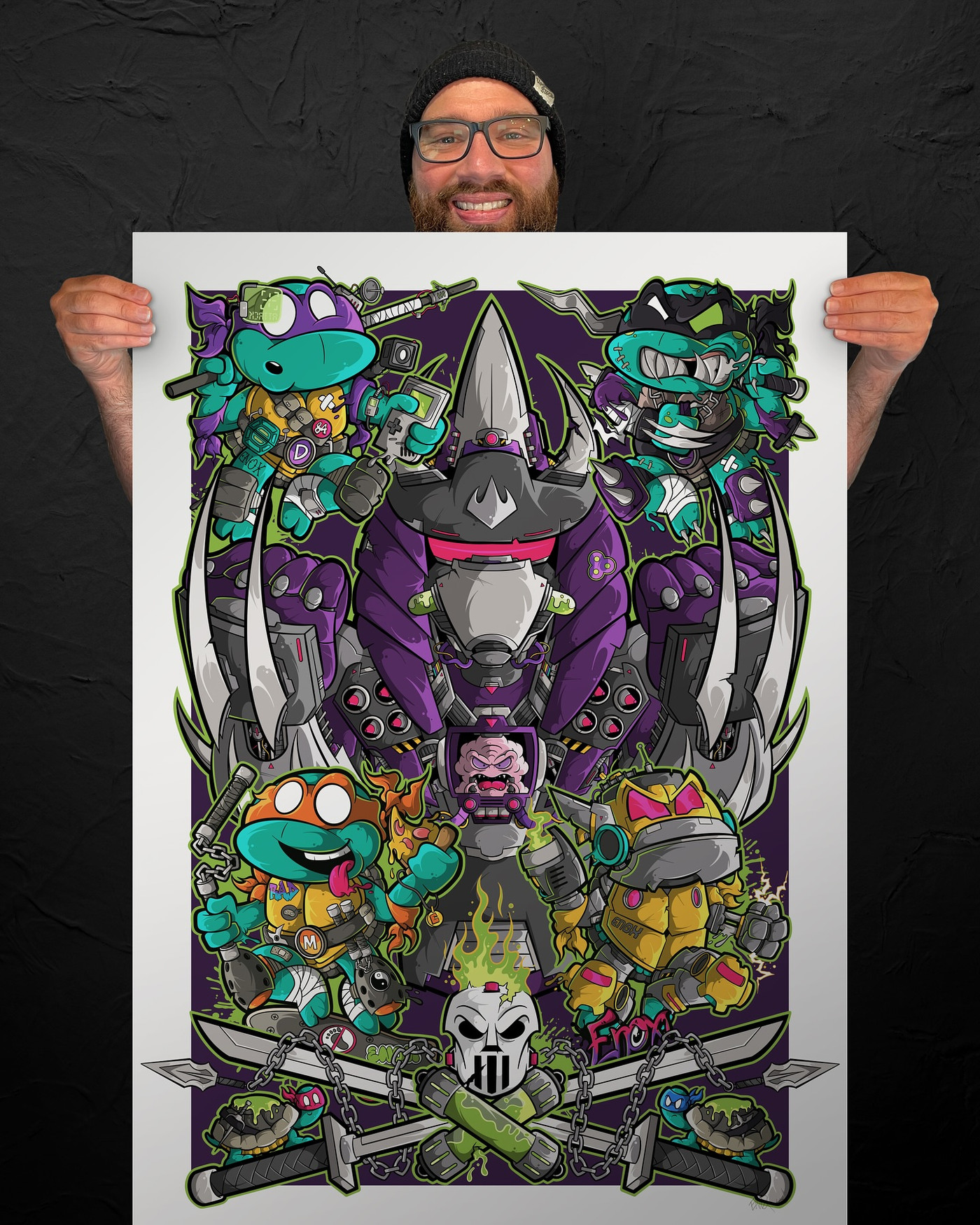
I'm Iain, a New Zealand artist, designer and illustrator who goes by Enox. My work sits somewhere between urban contemporary and pop art, pulling from graffiti, pop culture, 80s cartoons and Japanese kawaii characters. I work mostly in Procreate and Fresco, along with mixed media on canvas and wood, plus outdoor murals and gallery shows. I create bold, high-energy artwork for brands, creators and businesses, from custom characters and mascots to merch graphics, packaging and large-scale wraps and murals, and I've worked with brands like Adobe, Speedo and HJC. What I'm really after with every piece is to take someone's mind off the stresses of life for a moment and hand them some energy and positivity instead.


Yes, you will need access to all of the following.
- Apple iPad
- Apple Pencil
- Procreate app
No prior experience needed, this course is designed for beginner students.
You’ll learn everything from setting up your iPad to creating a finished character illustration.
More experienced artists can also follow along to learn my unique style and creative process, then apply those techniques to their own work.
Yes, the course content you are buying itself is identical. But, there are some additional perks you get when you purchase through Proko.
FREE Enox Procreate Brush
user-friendly website design for an optimal learning experience
access to a like-minded community of fellow artists
video downloads for offline learning
30 day money back guarantee
Unfortunately no, Proko is a completely different platform and cannot transfer your purchase over.
Yes! Each premium video is downloadable as an mp4 file at 1080p. Please don’t share the videos, downloads are for personal use only. Each purchase helps to create future videos like these.
No, you'll have access to the full course after the presale ends.
Absolutely! Just enter in the gift receivers email address at checkout.
No, it’s a one-time payment and you have access to these videos forever. You are essentially purchasing a product. It’s not a subscription.
Nope! You can join and watch the lessons at any time. This course was designed so you could go at your own pace.
No
This course has English CC available for premium lessons.
If you are not thrilled with the product, then we have no interest in forcing you to keep it. Therefore, refunds are available to customers within 30 days of your purchase.